


Vocal Image: Speaking Coach
4.1759.00 Reviews
App Specs
- Version
- 8.57.0
- Updated On
- License
- Free
- Downloads
- 1,000,000+
- Developer
- Vocal Image
- Categories
- Education
- Platform
- Android, iOS
Screenshots
 Analysis by AppCompare
I came to Vocal Image: AI Speaking Coach with a practical question: can a phone-based speaking coach help me notice habits I miss in ordinary conversation? It is an education app from Vocal Image, aimed at communication for work and everyday life. My view is that it can make practice easier to start, especially if you want structure between real conversations, though it is not a substitute for a human coach or specialist support.
What the free entry point tells you
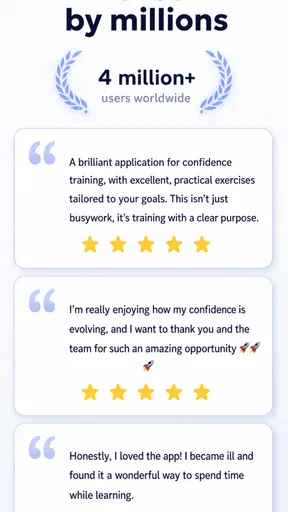
The app is free to download, which makes it reasonable to explore before deciding whether it suits your routine. It has a 4.1 average from around 14,000 ratings, and more than a million installs. Those figures suggest a sizeable audience, but they cannot tell you whether its coaching style will fit your voice or goals; I would treat them as context, not a promise of results.
There are in-app purchases, with listed items ranging from $0.99 to $249.99 each. That is a wide span, so I would check the exact offer and payment terms shown in the app before buying anything rather than assuming every exercise or plan is included at no cost. The key distinction is simple: free access lets you try the experience, while paid value depends on whether the particular content offered matches a skill you genuinely want to work on.
What practice can add to everyday communication
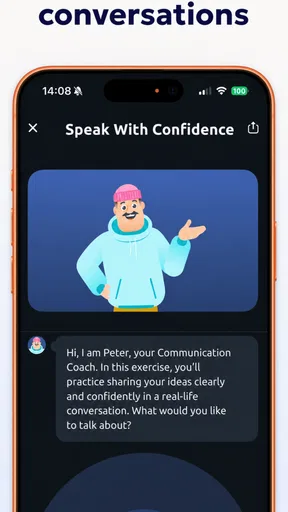
The strongest reason to use a speaking coach is not to chase an artificial “perfect” voice. It is to notice patterns—rushing, unclear articulation, or uneven pacing—and practise changing them deliberately. A guided exercise can give you a small, repeatable task when you do not have a teacher available. That is useful for a presentation, an interview, a client call, or simply speaking up more comfortably in a group.
I would use the app in short sessions tied to a real goal. Before an important meeting, for example, I might practise a brief introduction, listen for whether I am rushing, and then try it again with a calmer pace. Afterward, I could reflect on what felt easier in the actual conversation. This kind of loop—practise, apply, notice—is more meaningful than collecting completed exercises without bringing them into daily speech.
For a learner who already knows what they want to improve, that structure can be a useful nudge. If you are unsure whether your main challenge is pronunciation, confidence, or organizing thoughts, the app may help you pay closer attention, but I would avoid treating any single automated assessment as a definitive diagnosis. Feedback about a recording is one perspective; people listening to you in a real room may respond differently.
The First Impression
So, I downloaded Vocal Image: AI Speaking Coach on a lazy Sunday afternoon, thinking it would be just another voice app. But, boy, was I wrong! The interface is sleek and user-friendly. No clutter, just straight to the point. It feels like the developers really listened to what users want. Everything is laid out so intuitively that even if you’re not tech-savvy, you’ll feel right at home.
Worth Reading Before You Choose

EA SPORTS FC Mobile 26 Is a Bigger Football Game, but It Takes Time

Flipboard Shows What News Apps Must Do Beyond the Feed

Switching to Android Auto Means Rethinking Your Driving Routine

Google Calendar Makes a Crowded Week Easier to Manage

Ludo King Makes the Most of the Minutes Between Plans

Baby Panda World Brings Quick Play to Modern Phones, but Its Game Library Feels Busy
Features That Stand Out
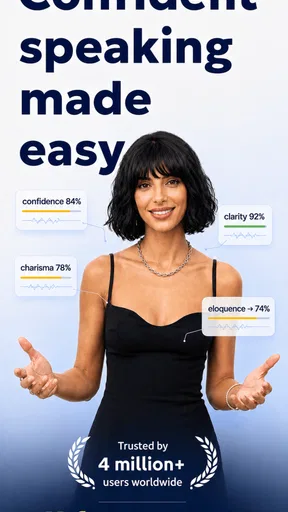
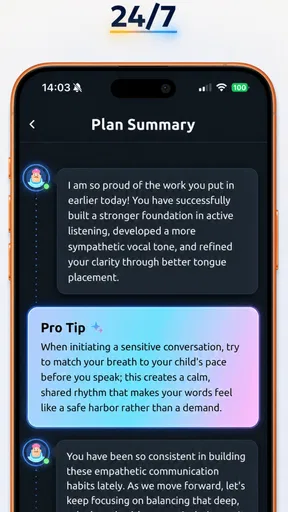
First off, the app offers a range of cool features. The voice analysis is fascinating. You start by recording a sample of your speech, and the app analyzes it to give you feedback on your tone, clarity, and even emotional expression. It’s like having a speech coach in your pocket!
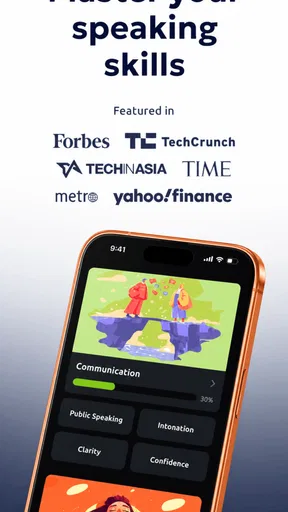
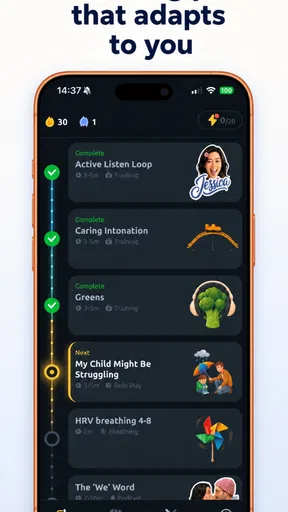
Then there’s the personalized training plan. It’s tailored to your specific needs and goals, which is pretty awesome. You can set your focus areas, whether it’s pronunciation, pitch, or pacing, and the app guides you through exercises to improve. I found the exercises engaging and not at all tedious, which is a huge plus.
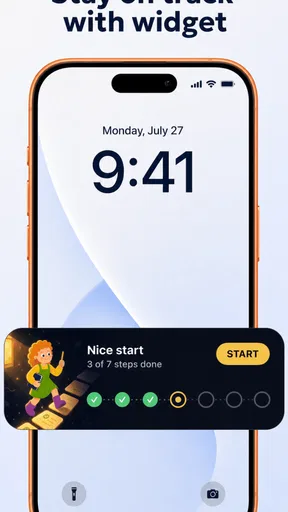
Another feature I found super helpful is the progress tracking. You can keep tabs on how you’re improving over time. There’s something really satisfying about seeing those little progress bars inch forward.
Putting It to the Test
I decided to put the app through its paces for a week. The first thing I noticed was how much more conscious I became of my speaking habits. It’s like the app made me more aware of my own voice. I started to notice things like how often I mumbled or how my pitch varied.
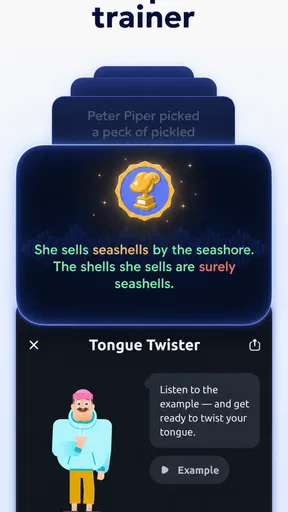
The exercises are varied and, dare I say, fun. They range from tongue twisters to breathing exercises. I especially liked the feedback after each session. It’s encouraging and helps you pinpoint exactly what needs work.
Plus, the app isn’t just about correction; it’s about confidence. By the end of the week, I felt more assured in my speaking abilities. Whether it was a Zoom meeting or a casual chat, I felt like I had a better handle on how I was coming across.
A Few Thoughts
Of course, no app is perfect. There were moments when the analysis didn’t seem spot on, but those were few and far between. Also, I wish there were more free features. Some of the premium content looks enticing, but it comes with a subscription fee. However, if you’re serious about improving your speaking skills, it might be worth the investment.
Making feedback useful rather than taking it literally
Voice analysis is most helpful when I use it as a prompt to listen again, not as a verdict on whether I sound good or bad. A recording can make a small hesitation seem bigger than it felt while speaking, and the emotional meaning of a phrase depends on context. I would repeat the same short passage in a couple of sessions and compare the notes, rather than changing several habits at once based on one result.
A practical tip is to record material you actually need: a short introduction, a project update, or the opening of a presentation. Keep the wording similar when you revisit it, so you can focus on delivery rather than inventing new content each time. If you are working on pacing, change only that variable for a round or two. This makes the practice more interpretable and helps you decide whether the feedback translates into a change you can hear.
There is also a trade-off in how personalized plans feel. A suggested focus can help when you are stuck, but it should not overrule your own priorities. If you are preparing for a job interview, clarity and concise answers may matter more than trying to alter your pitch. If you are learning a language, a pronunciation issue may need a language-specific teacher or resource. I would treat the plan as a starting map, then choose exercises that support the situation you actually face.
How it differs from familiar ways to practise
Compared with simply recording yourself in a phone’s voice recorder, this app adds coaching structure: analysis, suggested practice, and a way to notice progress. A basic recorder is better if you only need to capture a rehearsal and prefer to judge it yourself. A mirror or notes app can help with posture and organization, but neither gives the same kind of voice-focused feedback described here.
Compared with a live speech coach, the app is easier to fit into a spare moment and can make repetition feel less daunting. A person, however, can ask follow-up questions, understand the audience and context, and respond to communication habits beyond the sound of a recording. If speaking anxiety is severe, a persistent voice problem is affecting daily life, or you need tailored professional guidance, I would choose an appropriate human professional rather than expect an app to handle it.
It is also different from general public-speaking advice videos. Watching a tip can be useful, but it is passive; a practice routine asks you to produce speech and pay attention to your own delivery. The app makes most sense when you are willing to speak aloud, review what happened, and try again. If you mainly want help writing a speech or structuring an argument, a writing tool, outline, or instructor may be a better first step.
A routine that fits a busy day
Imagine you have a remote team update tomorrow and tend to rush when everyone is listening. On the way home, you could spend a few minutes practising the first part of the update, then replay it with one question in mind: did I leave enough space between ideas? Before the call, try the opening once more at a measured pace. After the meeting, note whether that adjustment felt natural. This is a modest use case, but it is exactly where a repeatable practice tool can earn its place.
For consistency, I would attach practice to an existing cue instead of promising myself a long daily routine. A brief session after lunch or before a recurring call is easier to sustain than an ambitious schedule. I would also alternate app exercises with real speaking: a conversation, a meeting contribution, or a voice message. Practice can sharpen awareness, but transfer happens when you use the skill with another person and adapt in the moment.
One limitation is that visible progress can become its own goal. A moving progress indicator feels rewarding, yet it does not necessarily mean listeners understand you better or that you feel more at ease in a difficult conversation. I would pair the app’s tracking with a concrete personal measure, such as whether I can deliver an introduction without rushing, and revisit that measure every so often. That keeps the numbers in perspective without dismissing the motivational benefit.
Who is likely to get the most from it
I think it is best suited to people who want low-pressure repetition and already have a reason to practise: students preparing presentations, professionals who speak in meetings, or anyone who wants to become more deliberate in everyday conversation. It can also suit someone who finds it awkward to practise in front of another person at first. Working privately with a recording can make the first attempt feel less exposed.
It is less suitable for someone who wants instant transformation, dislikes recording their voice, or needs a person to explain why a particular communication problem is happening. It may also frustrate users who expect every useful lesson to be free. Since paid items vary substantially in price, I would explore the free experience first and only pay when the specific content and terms make sense for a clear goal. The app is free to start, but that is not the same as every part being free.
For younger users, the content rating is Everyone, but I would still make sure the practice goal is encouraging rather than focused on judging or “fixing” a voice. The aim should be clearer, more comfortable communication—not pressure to sound like somebody else. That distinction matters especially when feedback touches personal qualities such as tone or emotional expression.
Device fit and a sensible buying decision
The current version is 8.41.2, and the minimum operating system is 7.0. Before installing, I would check that the device meets that requirement and that I am comfortable speaking into it in the place where I plan to practise. A quiet corner is more useful than a noisy commute if I want to hear changes in a recording. That small choice can make feedback easier to interpret without requiring a special setup.
My buying advice is to begin with a specific question: what would I like to sound or feel different doing? Try the available practice around that goal, then decide whether the guidance is useful enough to justify a purchase. If the app helps you practise consistently and its paid material addresses a real need, paying may be worthwhile for you. If you only want an occasional rehearsal, a recorder and a trusted listener may cover the basics without adding another paid commitment.
Vocal Image is free, is rated for Everyone, and has been available since September 24, 2020. I would not use its rating or popularity as a reason to buy; I would use the free entry point to judge whether its coaching approach clicks with me. That keeps the decision grounded in what I will actually use rather than what an average score might imply.
Overall, I found Vocal Image: AI Speaking Coach to be a useful tool. It’s perfect for anyone looking to polish their speaking skills, whether for professional or personal reasons. It’s not just about speaking better; it’s about communicating with confidence.
So, if you’re ready to take your speaking game to the next level, give this app a try. Who knew a smartphone app could be this transformative?
My practical verdict
I would try it if I wanted a structured way to pay attention to my voice and practise between important conversations. I would skip it—or choose a different resource—if I needed nuanced personal coaching, specialist help, or a tool focused on writing and presentation structure rather than vocal delivery. The best value comes from using its feedback selectively, tying exercises to situations that matter, and checking whether the changes help outside the app.
In short, I see it as a convenient practice companion, not an authority on how anyone should sound. Start free, keep your goal concrete, and consider paid content only when you know what you are buying and why. If that approach sounds right for you, it is worth giving the app a try; if not, a simple recording or a conversation with a qualified coach may be the better fit.
Pros
- Intuitive user interface for easy navigation.
- Customizable lessons tailored to your needs.
- Real-time feedback improves learning speed.
- Wide range of exercises for different skills.
- Compatible with both Android and iOS devices.
Cons
- Requires internet connection for full functionality.
- Some features locked behind a paywall.
- Occasional bugs in voice recognition.
- Limited offline content availability.
- Ads can be intrusive in the free version.
FAQs for Vocal Image: Speaking Coach
What features does Vocal Image: AI Speaking Coach offer?
Vocal Image: AI Speaking Coach provides a variety of features designed to improve your speaking skills, including personalized voice analysis, real-time feedback, and tailored exercises. The app uses AI technology to assess your tone, pitch, and clarity, offering suggestions to enhance your vocal delivery. It's suitable for both beginners and advanced users looking to refine their speech.
How does the AI technology improve my speaking skills?
The AI technology in Vocal Image analyzes your voice patterns, identifying areas for improvement in pitch, tone, and pace. It delivers instant feedback and suggests exercises tailored to your unique speaking style. This personalized approach ensures that your practice is effective and targeted, helping you to become a more confident and articulate speaker.
Is Vocal Image suitable for non-native English speakers?
Yes, Vocal Image is designed to be user-friendly for non-native English speakers as well. The app includes exercises that focus on pronunciation and fluency, catering to various levels of English proficiency. Its AI-driven feedback is adaptable, making it a versatile tool for anyone looking to improve their English speaking skills.
Does the app require a subscription for full access?
Vocal Image offers both free and premium subscription options. The free version includes basic features, while the premium subscription unlocks advanced features such as comprehensive voice analysis, a wider range of exercises, and personalized coaching sessions. Users can choose a plan that best suits their needs and goals.
Can Vocal Image be used offline?
Vocal Image requires an internet connection for the initial download and to access some features, such as real-time feedback and updates. However, once specific exercises and lessons are downloaded, they can be accessed offline. This allows users to practice their speaking skills anytime, without being dependent on a constant internet connection.


